

Configuration
Account identifiers, the people who hold access, and the mechanism that puts tracking on the site. For the console links on their own, see Quick Links.
Google Tag Manager
Section titled “Google Tag Manager”| Container ID | GTM-WKCTMW9 |
| Account ID (internal) | 6071194516 |
| Container ID (internal) | 101572148 |
| Console | Open the container |
Who has access
Section titled “Who has access”Snapshot taken 2026-08-05.
| Account | Permission | Status |
|---|---|---|
marisa@strategicpeacock.com |
Publish | Has access |
markusdrake@gmail.com (Mark Drake) |
Publish | Has access |
robin.alston.nri.inc@gmail.com |
Publish | Invitation pending |
addwords.nri.inc@gmail.com |
Read | Invitation pending |
Google Analytics
Section titled “Google Analytics”| Account ID | 255877095 |
| Property ID | 547565128 |
| Console | Open the property admin |
Who has access
Section titled “Who has access”Snapshot taken 2026-08-05.
| Account | Role |
|---|---|
robin.alston@gmail.com (Dr Robin Alston) |
Administrator |
marisa@strategicpeacock.com |
Administrator |
markusdrake@gmail.com (Mark Drake) |
Administrator |
robin.alston.nri.inc@gmail.com |
Administrator |
The two lists overlap but are not identical. Three accounts hold both —
marisa@strategicpeacock.com, markusdrake@gmail.com, and
robin.alston.nri.inc@gmail.com. The two that do not:
| Account | Tag Manager | Analytics |
|---|---|---|
addwords.nri.inc@gmail.com |
Read (pending) | — |
robin.alston@gmail.com |
— | Administrator |
Robin Alston appears under two separate Google accounts —
robin.alston@gmail.com and robin.alston.nri.inc@gmail.com. They are
distinct logins, and access granted to one does not carry to the other. Check
which address a permission was granted to before assuming it is covered.
How tracking is installed
Section titled “How tracking is installed”Tracking is not hard-coded in the application. It is content, managed in Umbraco, so it can be changed without a deploy.
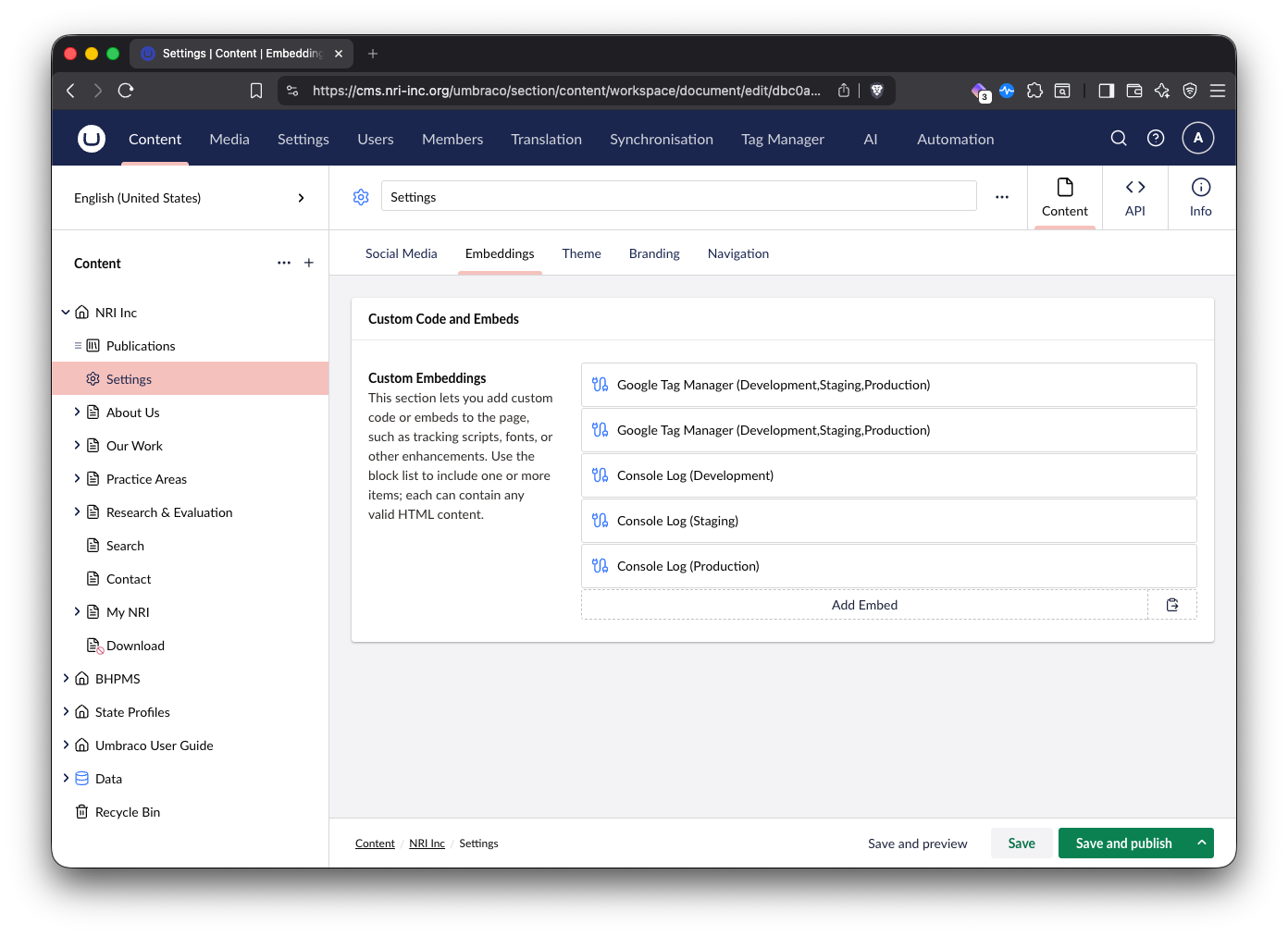
Every top-level site in the content tree has a Settings node. That node is where third-party integrations live — social media, ads, tracking, embedded scripts of any kind. Think of it as the control panel for anything external that touches the site.
The Settings node’s Embeddings tab holds a block list called Custom Embeddings. Each block is one snippet of raw HTML that gets injected into the page.
What each embed block controls
Section titled “What each embed block controls”| Field | What it does |
|---|---|
| Label | Display name in the block list. Cosmetic — nothing keys off it. |
| Placement | Where the code is injected: Before Head Close, After Body Open, or Before Body Close. |
| Code | Raw HTML, injected verbatim. |
| Environments | Which environments the block renders in — Development, Staging, Production. The block list label shows the selected set in parentheses. |
| Disabled | A toggle to switch a block off without deleting it. |
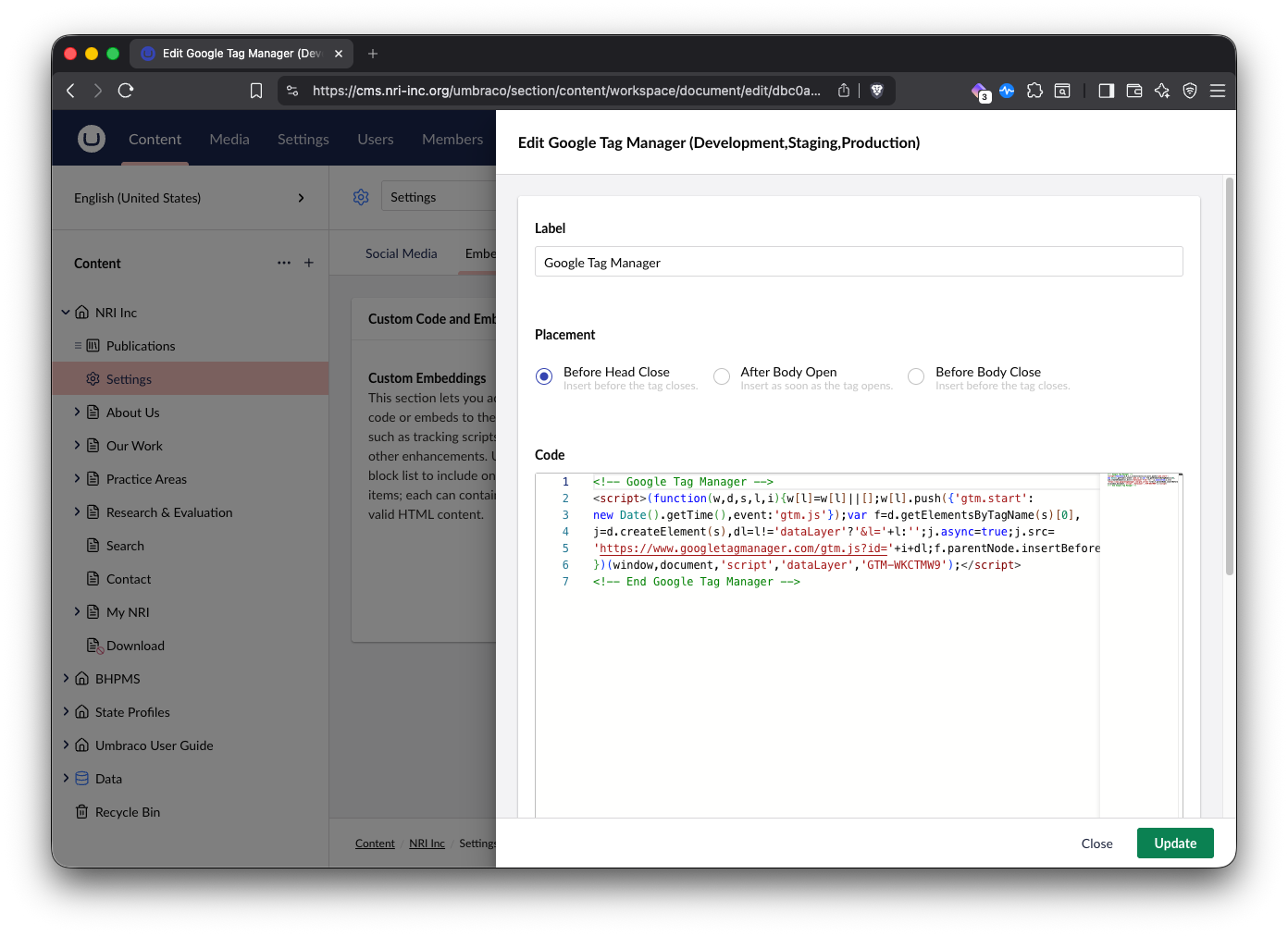
The GTM container snippet sits in a block placed at Before Head Close:
Settings is per-site — configure all three
Section titled “Settings is per-site — configure all three”There is a Settings node under each top-level site. Tracking must be configured under NRI Inc, BHPMS, and State Profiles separately.
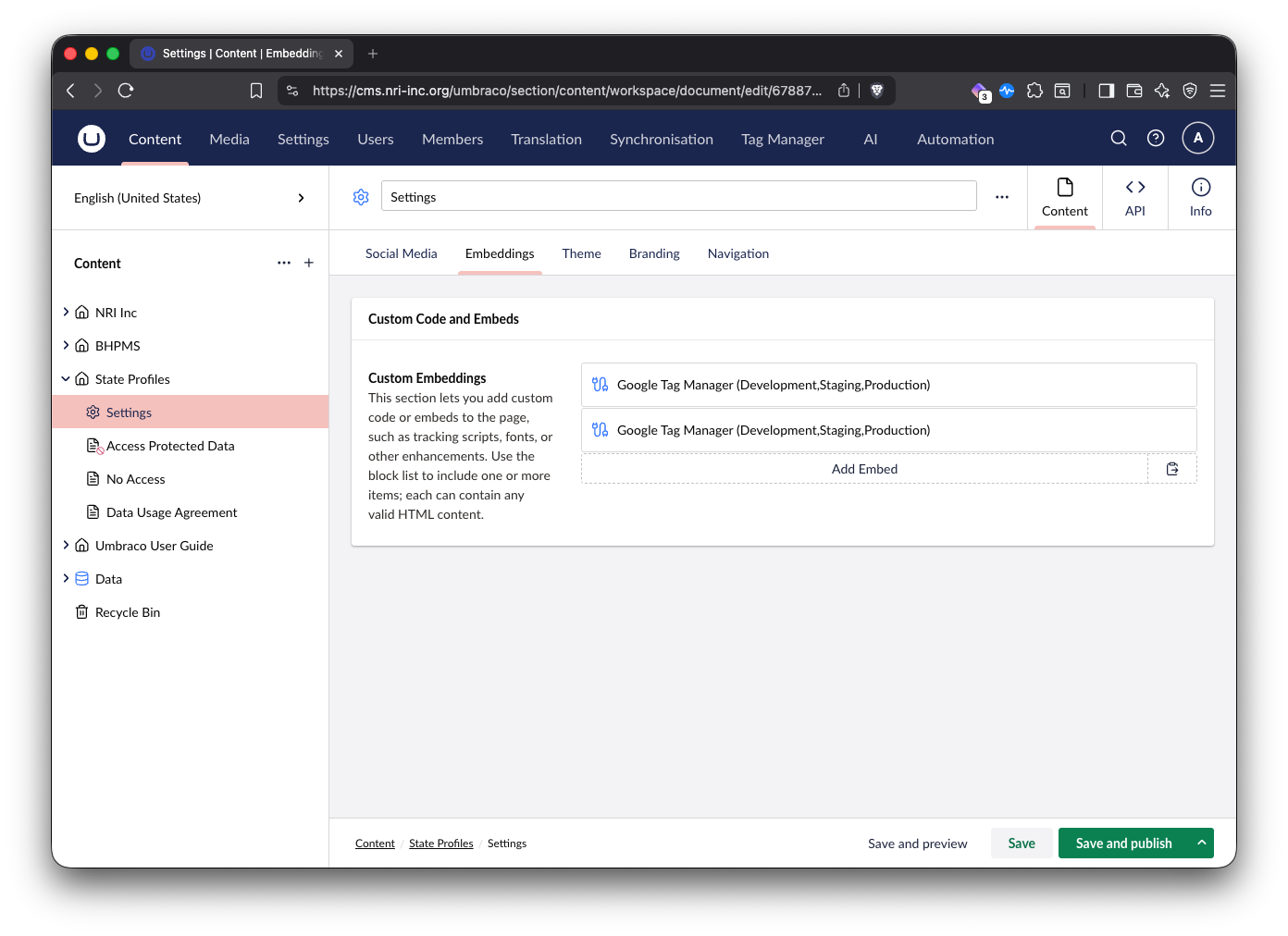
The Umbraco User Guide root is for internal use. There is normally no reason to add embeds there.
What the application contributes
Section titled “What the application contributes”The container is CMS-managed, but the site pushes several things into
dataLayer from code. These are the hooks GTM triggers and GA4 user properties
are built on, and they only change with a deploy.
member_state — GA4 user property
Section titled “member_state — GA4 user property”Views/layout.cshtml reads a signed-in member’s US state from their structured
Google Maps address — mailing address first, workplace address as fallback —
and pushes it as member_state.
It is deliberately emitted before the GTM embed so the value is in the data
model at container load, ahead of the container’s initial page_view. If you
reorder anything in <head>, keep that ordering. Because dataLayer values
persist across client-side navigations, pushing it once per full page load is
enough.
virtual_pageview — custom event
Section titled “virtual_pageview — custom event”The site navigates with swup, so a link click swaps content without a native
page load and GTM’s built-in pageview trigger never fires again after the first
page. Client/src/main.ts pushes a virtual_pageview event on swup’s
page:view hook, carrying page_location and page_title.
Use the custom-event trigger named virtual_pageview in GTM for anything that
should fire on every page, not the built-in pageview trigger.
The push is guarded — where no GTM embed is present there is no dataLayer and
it is a no-op.
report_view — custom event
Section titled “report_view — custom event”Views/protectedDownload.cshtml pushes a report_view event with a
report_name parameter when a protected report page is viewed.
When something looks wrong
Section titled “When something looks wrong”- No data at all on one site — check that site’s own Settings node has the GTM blocks. Remember it may be silently inheriting another site’s container.
- Data on the wrong property — same cause, opposite symptom.
- Doubled pageview counts — check for two active head-placed GTM blocks under the same Settings node.
- Nothing in a lower environment — check the Environments field on the block. A block set to Production only will not render in Development or Staging.
- Events fire on first load but not after navigating — the trigger is
probably using GTM’s built-in pageview instead of the
virtual_pageviewcustom event.